eA+ should be built on Accounting-Next, not from scratch: it already covers most modules, speaks the same login, and the 600 users’ data maps onto it
This answers the proposed workplan: (1) reformulate the eA+ analysis, (2) compare with Accounting-Next (AN), (3) compare with the current Easy Accounts (eA), and propose a plan to replace eA in production, then grow from 600 to 1,000 and 10,000 users with AI-driven development.
1 · eA+ reformulated: are we on the same page?
eA+ is a free accounting tool for micro and small businesses. An admin builds everything from one chart of accounts; users only ever see views of it: questionnaires to enter figures and reports to read them. Entries land in one ledger by date; reports add them up for any period and can be shared with institutions.
| Module | What it does (from the analysis document) |
|---|---|
| 0 · Homepage | Public landing. |
| 1 · Chart of accounts | One master dictionary with every possible account; import or modify it; define counterparts, taxes and tax rates. Not visible to users. Questionnaires are filtered by the user’s activity. |
| 2 · Templates (views) | Questionnaires (monthly or daily input) and reports (financial statements, taxes, social security, ratios, double-entry books). Always a list of lines: an account or expression on the left, a value on the right, in titled sections with trackers and separators. Counterparts and tax rates can be overridden per view. |
| 3 · Transactions | Monthly = questionnaire. Daily = form: type (income/expense), amount, client/supplier, VAT rate, product. |
| 4 · Storage (ledger) | Each operation is written, dated, to the ledger. |
| 5 · Reports | Report lines read transactions over a date range and aggregate them into a view. Reports can be shared. |
2 · Accounting-Next (AN) against eA+
| Module | In AN today | Different from eA+ | Reuse |
|---|---|---|---|
| 0 Homepage | Admin-editable homepage, 8 block types; public presentation page | — | as is |
| 1 Chart | Chart tree with types and system roles (VAT, receivables, payables…); import with AI proposals; allowed counterpart pairs; tax rates per account | Several charts allowed; no activity filter; users see a chart page and can add sub-accounts | as is + activity tags; hide the user chart page |
| 2 Templates | Questionnaire templates (groups, inputs, formulas, hints, required); report definitions (account flow or balance, VAT, formula); five report families | No ratios; no per-view override of counterparts or tax rates; no section trackers | as is + ratios, overrides |
| 3 Transactions | Monthly questionnaire posts real entries; daily form with type, amount, contact, VAT, withholding, payment method, credit, receipt photo, recurring | Monthly and daily not reconciled (double count); no “product” field; only income/expense movements | with fixes reconcile rule, product, transfers/loans/owner |
| 4 Ledger | Double-entry journal lines, opening balances, balance checks, audit trail | — | as is |
| 5 Reports | Period-aware reports; share to institutions with frozen snapshots; e-invoices | No cash flow, no trial balance, no drill-down; “public” aggregate view not defined | with additions |
What AN adds to the eA+ analysis: the reconcile rule for monthly and daily (declared total plus “Unsupported amount”), the counterpart ladder (paid now or later, how), institutions and report sharing, multi-business per user, and an AI layer (import, scan a receipt, Q&A). See the other pieces of this analysis.
3 · Easy Accounts today (eA) against eA+
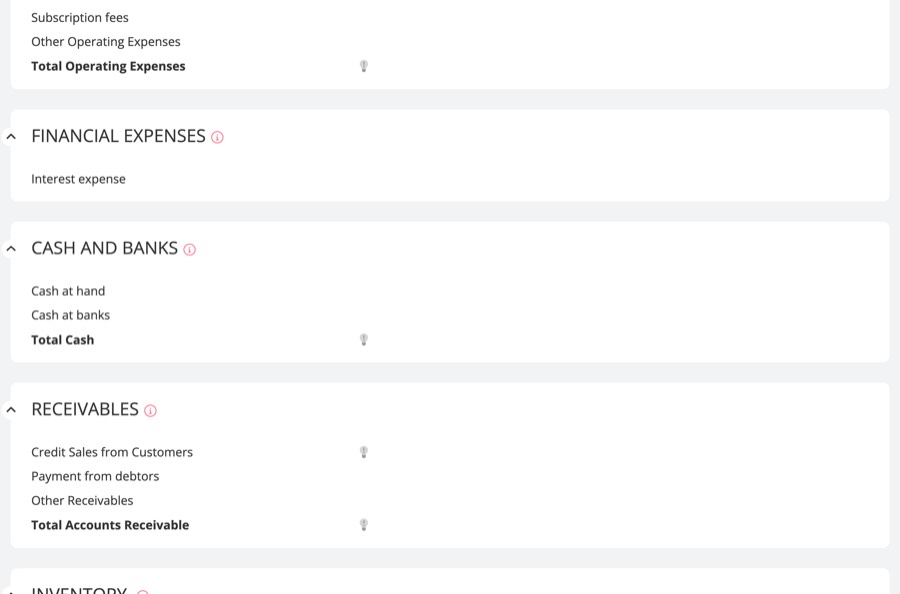
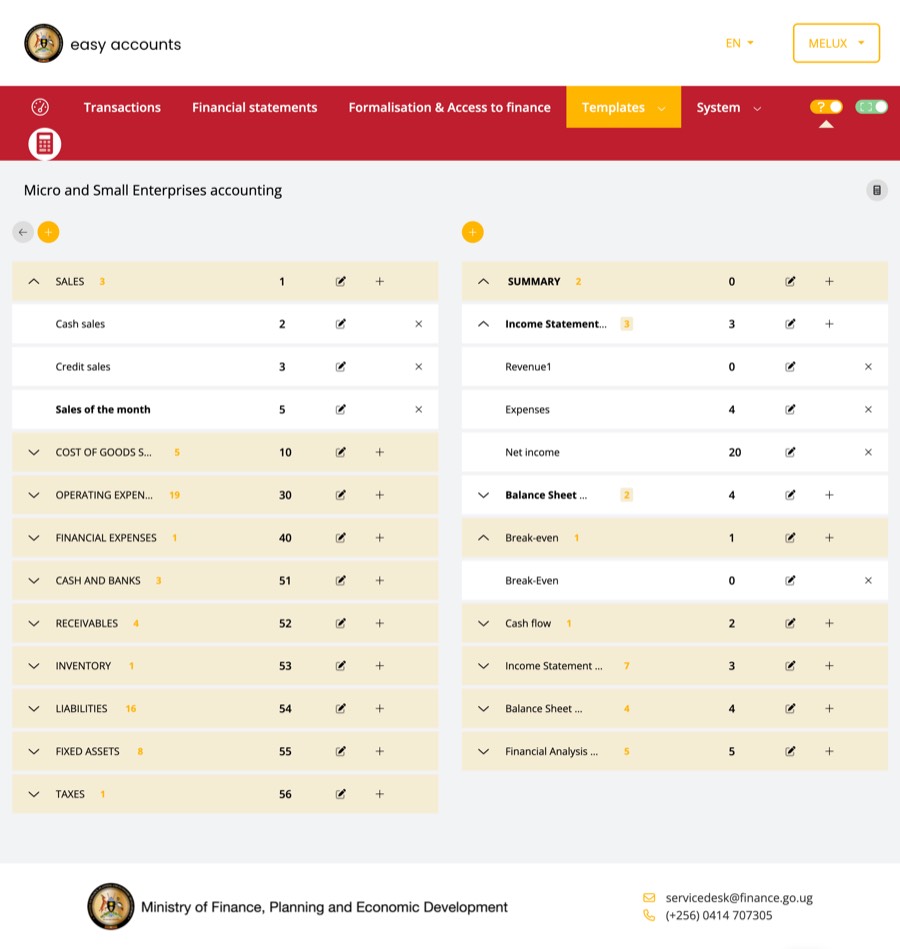
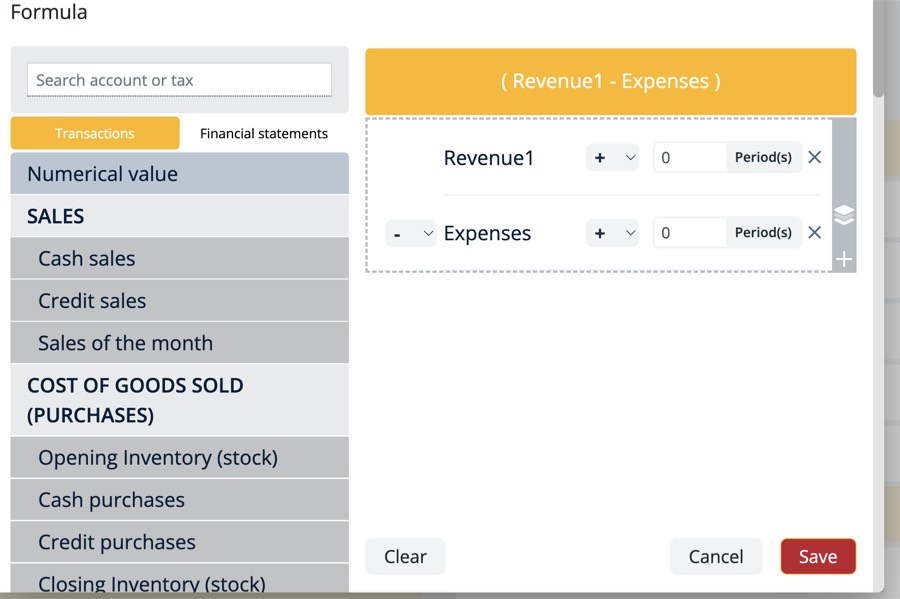
Extracted from the code (UNCTAD-eRegistrations/my-account, develop, v2.19.2, KeystoneJS + MongoDB) and the screenshots of easyaccounts.go.ug.
Data model (what exists)
| Area | Legacy models | eA+ / AN equivalent |
|---|---|---|
| Identity | User (Keycloak or CAS login, GDB natural-person id), BusinessEntity (GDB establishment id), Relation (owner, adviser) | User, BusinessProfile, Keycloak |
| Chart | Chart, Account (types, budget type), Counterpart, Classificator (country lists) | ChartOfAccounts, ChartAccount, CounterpartPair |
| Questionnaire | BudgetSet → BudgetSetItem (input or formula, key, account, math prefix, total-period type sum/average/last, decimals, percentage, print break); BusinessEntityBudgetSet (accounts a business hides) | BudgetSet, BudgetSetItem |
| Reports | FinancialStatement tree (summary, income statement, balance sheet, break-even, cash flow, financial analysis), formulas over questionnaire items with period offsets | ReportDefinition, ReportLine |
| Monthly figures | Stored in the GDB, not in MongoDB: financial-data rows per establishment and period, each a list of {key, value, account_code} | Monthly declared totals (reconcile rule) |
| Daily entries | Writing (date, account, amount, VAT %, withholding, client/supplier, receipt, due date) + WritingCounterpart; built for El Salvador (VAT default 13%) | Operation + JournalLine |
| Taxes | Tax, TaxableBase, ConditionalFormula (expression, condition, brackets with lower/upper limit); tax data in the GDB | TaxRate; tax simulation (AI) — brackets to confirm |
| Formalisation, finance | Registration, RegistredRegistration, Benefit, Provider | Institutions, aid programmes |
| Content | Translation (every label, Luganda + English), Tutorial, Homepage, Push, Footer | Translations, help articles, homepage |
Business rules to carry over
- A questionnaire item has a total-period type: flows add up over the year (sum), stocks take the last month (last), some take the average.
- Formulas can reference an item n periods back (e.g. opening stock = last month’s closing stock).
- Cost of goods sold = opening stock + purchases − closing stock (legacy questionnaire).
- Taxes are computed from a taxable base with conditions and brackets (presumptive tax style).
- A business can hide accounts it does not use from its questionnaire (the seed of the activity filter).
- Every label is translatable; Luganda must survive the migration.
Reuse from eA: the Uganda questionnaire and report structure as the first templates; the tax brackets; the translations; the formalisation content. Do not reuse: the KeystoneJS code, the hard-coded family-budget fields, the Bitcoin feature.
4 · Migration of 600+ users
| From eA | To eA+ (AN) | How |
|---|---|---|
| Keycloak users | Same Keycloak realm | No password reset if the realm is shared; map user ids |
| BusinessEntity (MongoDB) | BusinessProfile | Script; keep the GDB establishment id as the link |
| Uganda chart and questionnaire (MongoDB) | Chart + questionnaire template | Script, reviewed once by the Uganda team; keys and account codes kept |
| Monthly figures (GDB financial-data) | Declared monthly totals → ledger entries | One entry per account per month, marked as coming from the migration; balance items become opening balances |
| Formulas, reports, tax brackets | Report definitions, tax rules | Rebuilt as templates; tested by recomputing each user’s legacy statements and comparing |
| Translations (Luganda, English) | Translation tables | Script |
5 · Stack and AI-driven development
Recommendation: the “new stack” is AN’s stack: Next.js, PostgreSQL with Prisma, Keycloak, deployed on the UNCTAD Coolify servers. It is modern, typed and tested (~1,000 commits since June), and double entry is already right. Starting over would redo months of work that exists.
How AI-driven development runs here:
- Spec first: each change starts as a short written spec (like the proposal for Frank), agreed by a person.
- Agent builds on a branch with tests written first; the repo’s checks (types, lint, tests, build, translations) must pass.
- Person reviews and merges: nothing reaches
mainwithout the core team. - Proof on real data: migration and reports are checked against legacy numbers, not by reading code.
6 · Plan to production, then 1,000 and 10,000 users
7 · Decisions needed
- Build on AN? Recommended yes. Alternative: a new stack from scratch, which would take many months to reach what AN does today.
- Legacy features not in the eA+ document (formalisation guide, access to finance, tax simulator, tutorials, adviser access): keep in the first release, or later?
- Access to production data: a copy of the eA MongoDB and of the Uganda GDB financial data, to build and test the migration. Who can provide it?
- One Keycloak realm for eA and eA+ so users keep their login: confirm with the infrastructure team.
- Module 5 “public”: shared by the user with institutions (built), and/or anonymous totals for the Ministry (to build)?
Sources: the eA+ analysis document; my-account develop @ b39af29 (models, GDB routes, front end); Accounting-Next main @ 69b3aa41; screenshots of easyaccounts.go.ug, 24 Sep 2026. The monthly-figures storage in the GDB is read from the code; the production data itself has not been seen.